The most used Open Source you didn't know about
Follow @deedydasOpen-source software (OSS) is the unsung hero for the growth of the entire technology industry — react, tensorflow, linux, and pytorch are just some things reponsibile for perhaps maybe trillions of dollars of economic growth. I’m an engineer and I find it hard to keep track of what’s the best open-source repositories are. You can look at Github Trending, but it only allows you to check at last day / week / month and an undefined ranking. You can look at the top 100 starred and the top 100 forked repos, but you see a lot of pointless “interview prep” repos, and you can’t find any structure in the repos — it’s just a list. So I asked myself. How can I find and understand the top 1000 useful Github repositories?
How do I use this?
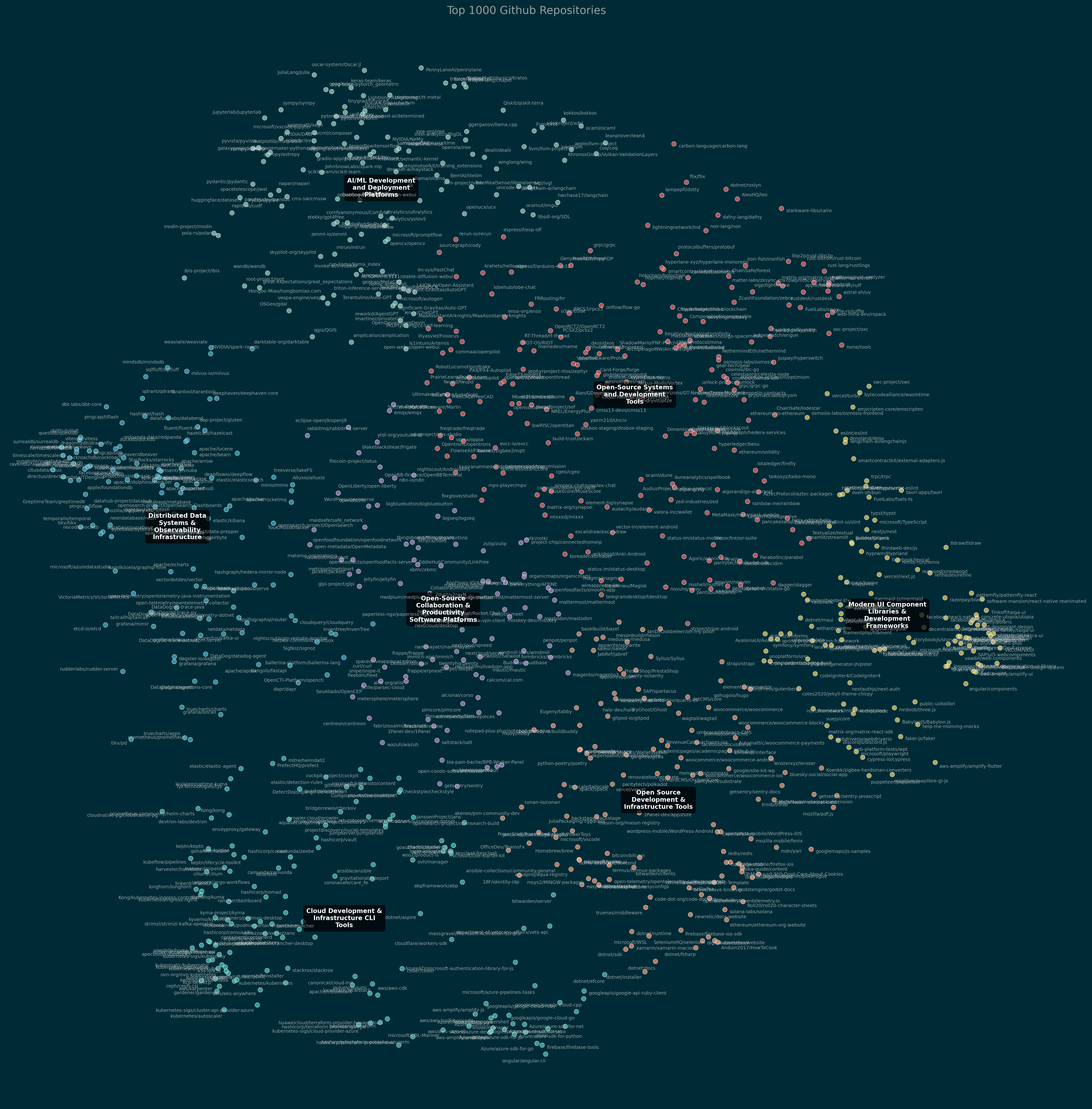
Use Cmd+F to look for repos or keywords from the top 1000 repo names or descriptions that are loaded into the table below. You can sort by star count or by cluster. You can also download and manually explore the raw image of all the clustered repositories, or play with the interactive Plotly version here as well. You can also use the high-res static image of the UMAP plot with labels included.
Methodology
At a high level, the source data was a public Github table in BigQuery. Some of the exact star counts here may be wrong because the underlying table double-counts unstars and re-stars. The one line summaries and descriptions were generated by Claude from the repo READMEs and 45 repos were accidentally dropped for processing failures. I use Plotly for the interactive plot, Seaborn for the static plot, Tabulator for the interactive table, OpenAI for embeddings, sklearn UMAP and agglomerative clustering and Claude 3.5 Sonnet for most of the code generation.
This post includes a detailed methodology at the very end if you’re interested in how I created this.
The top 1000 Github repositories
Detailed Methodology
Mining the Raw Repos
The first big insight into this project is that a lot of raw Github data lives in BigQuery as githubarchive.month.*. I’ve been trying to leverage Gen AI in my development flows and I fed the table schema to Claude 3.5 Sonnet and asked it to find the most starred repos in the last 3 years first. It became clear that top stars runs into the problem I alluded to in the intro — there’s a lot of noisy, not-real-code projects.
I decided to use some of the other events I had in the table to filter, such as minimum forks, issues, releases and pull requests (in the last 3 years).
WHERE
-- Apply minimum thresholds
PullRequestEvent > 10 AND
IssuesEvent > 5 AND
ForkEvent > 5 AND
ReleaseEvent > 0 AND
WatchEvent > 100
This was all done directly in the BigQuery UI in Google Cloud Platform.
Figuring out what they do
A list of repo names is a start, but there’s painfully little you can do with it. I had the bright idea to iterate through all of them, clone just the README.md file — yeah, I didn’t even know you could clone single files from repos — and use Claude to summarize the Readmes into a one line summary and a paragraph-long description. Yes, I have a lot of Claude credits to burn. I added retries, but I ended up being lazy and losing ~45 or so repos in this process. One of the cool quirks of this was that even Chinese repo Readmes were auto-translated. The prompt looked something like this: Content:\n{content}\n\nPlease provide two summaries of this README in 'Content:'\n1. A one-line summary (max 150 characters)\n2. A detailed paragraph description (max 500 characters)\nAnswer ONLY in the format '<one-line>oneline</one-line>\\n<paragraph>paragraph</paragraph>'.
I wrote most of this in a local Python script, using Claude to generate the code and do the summaries.
Clustering and Visualizing
I uploaded the CSV to Google Drive and then used Google Colab to process it. I used OpenAI’s text-embedding-3-small to create embeddings for the one_line_summary (I didn’t do it on description because I was lazy). Then, I used UMAP to reduce the 1536 dimension embedding into 2 with n_neighbors=100 and min_dist=0.05. I could’ve used t-SNE too but chose UMAP this time.
I then perform Agglomerative clustering on sklearn to find the optimal number of clusters, which happened to be 7. I use Claude to pass a sample of ~50 summaries from each cluster to summarize the cluster based on a simple prompt: Based on these Github repo descriptions, provide a concise label (less than 10 words) that captures the essence of this Github repo cluster:\n\n{sample_descriptions}\n. Only respond with the label..
To visualize statically, I used Claude to help me use Seaborn to plot a pretty scatter plot with labels for each dot and an overlaid cluster label in the “Solarized Dark” theme. To get the interactive web version, I use plotly and export the HTML and simply drop it into my blog. It’s my first time using plotly and I was pretty surprised how simple it was to use.
Scaffolding
To make it more useful, I dumped the entire raw data to JSON and put it on the page as a table with Tabulator for readers to be able to scroll and search through it.
I love hearing feedback! If you don't like something, let me know in the comments and feel free to reach out to me. If you did, you can share it with your followers in one click or follow me on Twitter!